
THE TICKET NEON EXPERIENCE
How It Works
Everything you need to discover experiences, get tickets and bring your own events to life.
01 / ATTENDING EVENTS
From discovery to the door.
Find something worth experiencing, understand the details and keep your admission organized.


Discover events
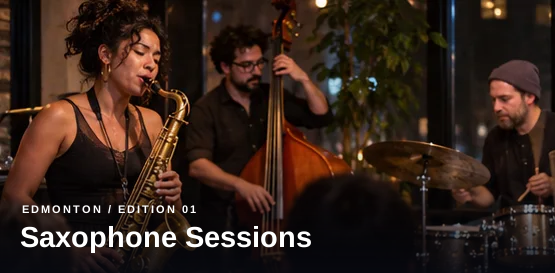
Explore concerts, comedy, festivals, workshops, sports and more.
Search by keyword, city or date range, then compare the experiences that interest you.
Review the details
Know what you're booking before you commit.
Check the date, location, event description, ticket types and any information shared by the organizer.
Choose your tickets
Select an available ticket type and quantity.
Free admissions can be claimed online. Paid checkout is offered only for events where it has been enabled.
Get ready to attend
Find confirmed tickets in your account.
Once an order is confirmed, visit My Tickets for your admission details and any available QR code.
Explore before you book
Browse event details and ticket choices at your own pace.
Clear checkout status
Tickets are issued after your order is confirmed.
Your tickets, together
View confirmed admissions in your Ticket Neon account.
02 / HOSTING EVENTS
Your event starts here.
Set up your presence, create an event listing and manage the details your audience needs.
Create your profile
Give your organization its own home on Ticket Neon.
Sign in and add your organizer name and description to start your event studio.
Build an event page
Introduce your audience to the experience.
Add the title, schedule, location, description and imagery that make your event stand out.
Set up admission
Configure how people join your event.
Create ticket types, set quantities and prices, and review your event information before publishing.
Publish and manage
Keep event details and operations in one place.
Manage your published events, orders and available admission tools in the organizer studio.
BUILT AROUND YOUR EVENT
Present the details. Keep the experience moving.
A clear event page helps guests know what to expect. The organizer studio brings listing details and ticket setup into one workflow.
Create an Event03 / GOOD TO KNOW
Questions, answered.
Useful details for browsing, ticketing and hosting an event.
01Do I need an account to browse events?
No. You can explore public event listings without signing in. An account may be required to complete checkout and access your tickets.
02Can I get free tickets?
Yes. When an organizer offers free admission, select the available ticket type and complete the checkout flow. Confirmed tickets appear in My Tickets.
03How do paid tickets work?
Paid checkout is available only where the event and payment setup support it. If it is unavailable, the event page will say so rather than accept a payment.
04Where can I find my tickets?
Sign in and open My Tickets. Confirmed admissions and any available admission codes will appear there. Event-specific entry instructions come from the organizer.
05How do I create and publish an event?
Open the organizer studio, create an organizer profile, then add your event details and ticket types. Publish when your listing is ready for visitors.
06Are all listings actual public events?
Some listings marked [TEST] are demonstration data used to check the platform. They are not real events or tickets for a live experience.
FOR ATTENDEES
Find your next experience.
Discover events across Canada and see what is happening next.
Browse EventsFOR ORGANIZERS
Bring your event to life.
Start your organizer profile and prepare your event listing.
Start Hosting